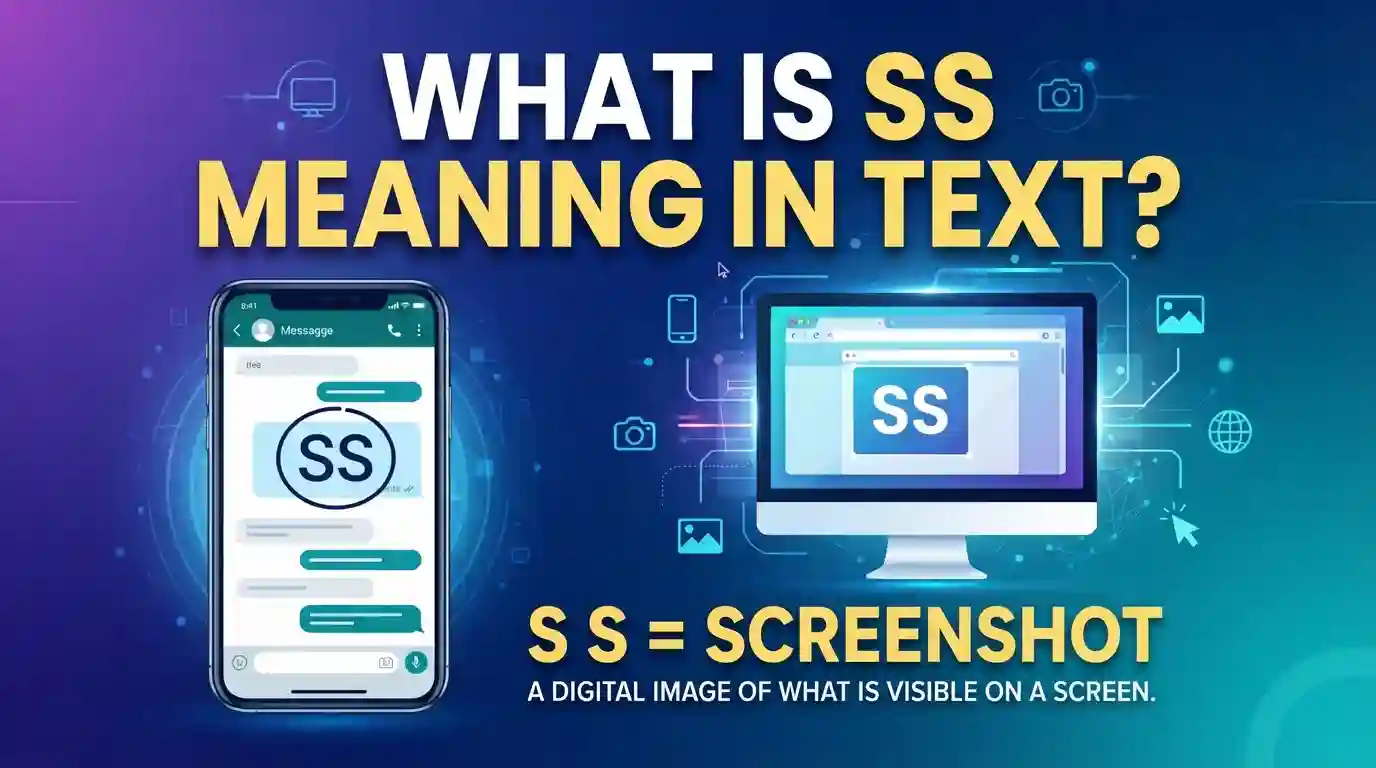
The SS meaning in text usually stands for Screenshot. People use it when they want a picture of a screen, a conversation, a post, a payment receipt, or any information displayed on a device. However, SS can also have a few other meanings depending on the context.
SS Meaning in Text: The Basic Definition
The SS meaning in text most commonly refers to a screenshot. A screenshot is an image that captures exactly what appears on a phone, tablet, or computer screen.
People use screenshots to:
- Save important information
- Share conversations
- Report problems
- Show proof of payments
- Keep records of online content
- Send funny messages or memes
Instead of typing the full word “screenshot,” many people simply write “SS” because it is faster and easier during casual conversations.
Why Do People Use SS?
Texting often relies on abbreviations to speed up communication. SS became popular because almost everyone takes screenshots regularly.
Common reasons include:
- Convenience
- Faster typing
- Easy understanding
- Popular social media usage
- Universal recognition among younger users
Because screenshots are a major part of digital communication, the abbreviation has become widely accepted across many platforms.
SS Meaning in Text on Different Platforms
The ss meaning in text remains mostly the same across messaging platforms. However, the way people use it may vary slightly depending on where the conversation happens.
SS on WhatsApp
WhatsApp users frequently ask for screenshots when sharing information.
Examples:
- “Can you send the SS?”
- “I need the payment SS.”
- “Send me an SS of the error.”
Screenshots help users verify information quickly without lengthy explanations.
SS on Instagram
Instagram users often use SS when sharing stories, messages, and posts.
Examples:
- “SS this post before it disappears.”
- “Send me an SS of her story.”
- “I took an SS of that comment.”
The abbreviation is common in direct messages and story-related conversations.
SS on Snapchat
Snapchat has a strong connection with screenshots because users often save temporary content.
Examples:
- “Did you take an SS?”
- “Snapchat notified me about your SS.”
- “Don’t SS this snap.”
Since Snapchat alerts users when screenshots are taken, SS appears frequently on the platform.
SS on Facebook Messenger
Messenger users often request screenshots to clarify conversations.
Examples:
- “Send an SS of the chat.”
- “I need the SS for proof.”
- “Can you SS the post?”
Screenshots help provide visual evidence during discussions.
How SS Is Used in Daily Conversations
People use SS naturally in both personal and professional communication.
Sharing Information
Many users send screenshots instead of writing long explanations.
Example:
Person A: What time is the meeting?
Person B: I’ll send the SS from the schedule.
The screenshot provides all details instantly.
Showing Proof
Screenshots often serve as evidence for transactions and confirmations.
Example:
Person A: Did you send the payment?
Person B: Yes, check the SS.
The screenshot verifies the payment status.
Saving Important Content
Users capture screenshots to save content before it disappears.
Example:
Person A: That offer ends today.
Person B: I took an SS so I won’t forget.
This allows easy access later.
Common Examples of SS Meaning in Text
The SS meaning in text becomes easier to understand when viewed in real conversations.
Example 1
Friend 1: What’s the homework?
Friend 2: I’ll send an SS from the class group.
Meaning: A screenshot of the assignment information.
Example 2
User 1: Can you prove it?
User 2: Sure, here’s the SS.
Meaning: A screenshot used as proof.
Example 3
Person A: What did she post?
Person B: I have an SS of it.
Meaning: A screenshot of the post.
Example 4
Customer: Did my order ship?
Support: Check the SS attached below.
Meaning: A screenshot showing shipping details.
Example 5
Friend: What did he say?
You: Let me send the SS.
Meaning: A screenshot of the conversation.
Why Screenshots Have Become So Important
Screenshots have transformed digital communication. They provide visual proof that words alone cannot always deliver.
Accuracy
A screenshot captures information exactly as it appears.
Benefits include:
- Fewer misunderstandings
- Better communication
- Clear evidence
- Accurate records
Convenience
Instead of typing long explanations, users can share a screenshot instantly.
This saves time and reduces effort.
Documentation
Screenshots create permanent records of temporary content.
Examples include:
- Receipts
- Conversations
- App notifications
- Online orders
- Event details
Sharing Visual Information
Some details are easier to understand visually than through text alone.
Screenshots provide context quickly and clearly.
Other Meanings of SS in Texting
Although Screenshot is the most common meaning, SS can have different interpretations depending on the conversation.
SS Meaning as “So Sorry”
Sometimes SS can mean So Sorry.
Example:
- “SS for the late reply.”
In this case, the sender is apologizing.
SS Meaning as “Stay Safe”
Some users use SS as a short version of Stay Safe.
Example:
- “Take care and SS.”
This meaning appears less often than Screenshot.
SS Meaning as “Screen Share”
In work environments, SS may refer to Screen Share.
Example:
- “Can you SS during the meeting?”
The person may be requesting screen sharing.
SS Meaning in Gaming
Gamers occasionally use SS for special game-related terms.
Examples include:
- Spawn Side
- Skill Shot
- Server Status
The exact meaning depends on the game being discussed.
How Context Helps Identify the Meaning
The easiest way to understand SS is by looking at surrounding words.
Screenshot Context
Examples:
- Send SS
- Need SS
- Take SS
- Share SS
These almost always mean Screenshot.
Apology Context
Examples:
- SS for being late
- SS about yesterday
These may mean So Sorry.
Safety Context
Examples:
- Travel safely and SS
- Good night, SS
These may refer to Stay Safe.
Work Context
Examples:
- SS your screen
- Join the meeting and SS
These may refer to Screen Share.
Reading the entire message usually reveals the intended meaning.
When You Should Use SS
The SS meaning in text is widely accepted, but using it correctly matters.
Casual Chats
SS works perfectly in conversations with friends and family.
Examples:
- “Send me the SS.”
- “I took an SS.”
Most people understand the abbreviation immediately.
Group Chats
Group members often exchange screenshots for updates and information.
Examples include:
- School groups
- Family groups
- Gaming groups
- Work groups
SS helps simplify communication.
Social Media Conversations
The abbreviation is extremely common on:
- Snapchat
- TikTok
- X (Twitter)
Users frequently discuss screenshots of posts and messages.
Quick Messaging
When speed matters, SS provides a convenient shorthand.
Many users prefer it over typing the full word repeatedly.
When You Should Avoid Using SS
Although useful, SS may not always be the best choice.
Formal Emails
Business communication benefits from clarity.
Instead of writing:
- “Please check the SS.”
Write:
- “Please check the attached screenshot.”
This sounds more professional.
Communication With Older Users
Not everyone understands texting abbreviations.
Using the full word prevents confusion.
International Conversations
Some countries use different abbreviations.
Writing “screenshot” ensures universal understanding.
Important Instructions
When accuracy matters, avoid shorthand.
Full wording reduces misunderstandings and improves clarity.
Common Mistakes People Make With SS
Many users misuse the abbreviation or misunderstand its meaning.
Assuming Everyone Knows It
Not all readers recognize texting abbreviations.
Consider your audience before using SS.
Using It in Formal Writing
Business reports and professional emails should use complete words.
Formal communication values clarity.
Ignoring Context
SS can have multiple meanings.
Always read surrounding messages before making assumptions.
Overusing Abbreviations
Excessive abbreviations can make conversations difficult to understand.
Balance convenience with readability.
SS Compared With Similar Texting Terms
Several abbreviations relate to screenshots and digital communication.
SS vs Pic
SS
- Captures a screen
Pic
- Refers to a photograph
Example:
- Screenshot of a chat = SS
- Photo from a camera = Pic
SS vs Snap
SS
- Screenshot
Snap
- Snapchat photo or message
The two terms serve different purposes.
SS vs Record
SS
- Captures a still image
Screen Recording
- Captures video activity
Screen recordings provide more information than screenshots.
SS vs Share
A screenshot captures information first.
Sharing simply distributes content.
Users often take an SS before sharing information.
Tips for Taking Better Screenshots
Good screenshots improve communication and make information easier to understand.
Remove Unnecessary Content
Crop unrelated sections before sending.
This keeps attention on the important information.
Protect Personal Information
Hide:
- Phone numbers
- Addresses
- Passwords
- Financial details
Privacy should always come first.
Check Image Quality
Blurry screenshots can create confusion.
Make sure text remains readable before sharing.
Use Annotations
Many devices allow users to highlight important areas.
Circles and arrows help explain information clearly.
Organize Screenshots
Store important screenshots in dedicated folders.
This makes them easier to find later.
The Future of Screenshots and Digital Communication
Screenshots continue to play a major role in online interactions. As technology evolves, devices now offer advanced screenshot tools, editing options, scrolling captures, and automatic sharing features. Messaging platforms increasingly integrate screenshot functions directly into chats.

Artificial intelligence may also improve screenshot organization and search capabilities. Users may soon locate screenshots using simple descriptions rather than manually browsing folders. Despite these advancements, the basic purpose remains unchanged: capturing and sharing information quickly.
Because screenshots solve communication challenges efficiently, the abbreviation SS will likely remain a common part of digital language for years to come.
Frequently Asked Questions
What does SS mean in texting?
The SS meaning in text most commonly stands for Screenshot, which is an image capture of a phone, tablet, or computer screen.
Is SS always used for Screenshot?
No. While Screenshot is the most common meaning, SS can also mean So Sorry, Stay Safe, or Screen Share depending on the context.
What does “Send me the SS” mean?
It usually means the sender wants you to share a screenshot of something displayed on your screen.
Is SS a formal abbreviation?
No. SS is mainly used in casual conversations. Professional communication typically uses the complete word “screenshot.”
Why do people use SS instead of Screenshot?
People use SS because it is shorter, faster to type, and widely understood on social media and messaging apps.
Can SS have different meanings on different platforms?
Yes. The abbreviation may represent Screenshot, So Sorry, Stay Safe, or other meanings depending on the conversation and platform.
Conclusion
The SS meaning in text most often refers to Screenshot, one of the most useful tools in modern digital communication. Whether people are sharing proof, saving important information, showing messages, or discussing social media content, screenshots make communication faster and clearer.
Although SS can occasionally mean So Sorry, Stay Safe, or Screen Share, the context usually makes the intended meaning obvious. Understanding these possibilities helps prevent confusion and improves online communication skills.
As messaging apps and social media continue to evolve, screenshots remain an essential way to capture and share information. Knowing when and how to use SS correctly can make conversations more efficient while helping you communicate with confidence across different digital platforms.